Features
Introducing Google Pay
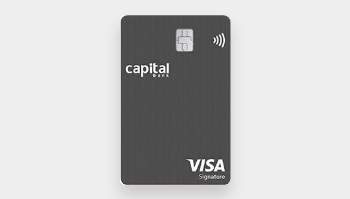
Capital Bank introduces a new safe and efficient Contactless solution in partnership with Google Pay, designed to make your daily transactions with Capital Bank cards incredibly smooth and seamless!
Through Google Wallet application, you will be able to make contactless transactions and payments from your phone (Android operating system) securely and on the go.
Main Benefits:
- Easy and convenient.
- Fast and secure technology.
- Accepted anywhere at any point of sale that accepts contactless payments.
How to use it:
- Look for the contactless symbol on any point-of-sale terminal.
- Wave or tap your phone at the terminal.
- Wait for a beep or light indicator to confirm the payment is complete.
How to add your Capital Bank card to Google Wallet:
First, set up Google Wallet App:
- Download Google Wallet™ App.
- Open the Google Wallet™ App and set up a screen lock.
- To make purchases in-store, make sure your device has NFC and NFC is turned on.
Second, add your Capital Bank card on Google Wallet available on your Android Phones
- Open Google Wallet™ App and sign in with your Google account.
- Add your Capital Bank card by either snapping a photo or entering the card details manually.
- Verify additional information and accept Terms and Conditions.
- Enter the authentication code and submit.
- Your Capital Bank card is now ready to use with Google Wallet.
Click here to view the Terms and conditions of the service.

Can I add more than one card?
Yes! You can add multiple Capital Bank cards. To use a card as default, tap it in the app and choose Set as default
Which devices can use it?
Any Android device with NFC and Google Wallet installed enabled.